TharuBy Tharu Studio
Custom-order management software

Every order.
And the customer behind it.

For home bakers, cake studios and bakery teams.

Keep the customer’s request, agreed quote, recorded payments and previous orders together. Check capacity, organise the work and return to the details when they order again.

Follow a returning customer from enquiry to booking, with their earlier order still in view.

Ivory tiered wedding cake with deep red and peach sugar poppies, decorated cupcakes, cakesicles and a slice of layer cake
See the real screens ↗
The film · 90 seconds

Follow Maya’s cake.

One fictional order, from first enquiry and calendar check through quote acceptance, deposit, Kitchen and handover, ending with Maya’s history.

Follow Maya’s cake. One fictional order, from first enquiry to handover.

The film is in production. It will play here, with captions, once it has been approved.

Read the film transcript

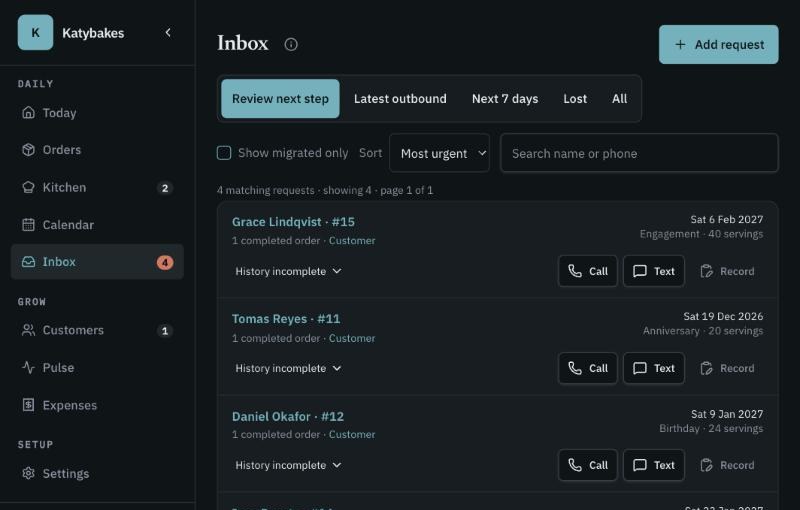
Maya has ordered here before. Her new enquiry arrives in her own words, and Tharu keeps them.

What the studio knows about her is written down, not assumed. Her nut-free note is there to check again.

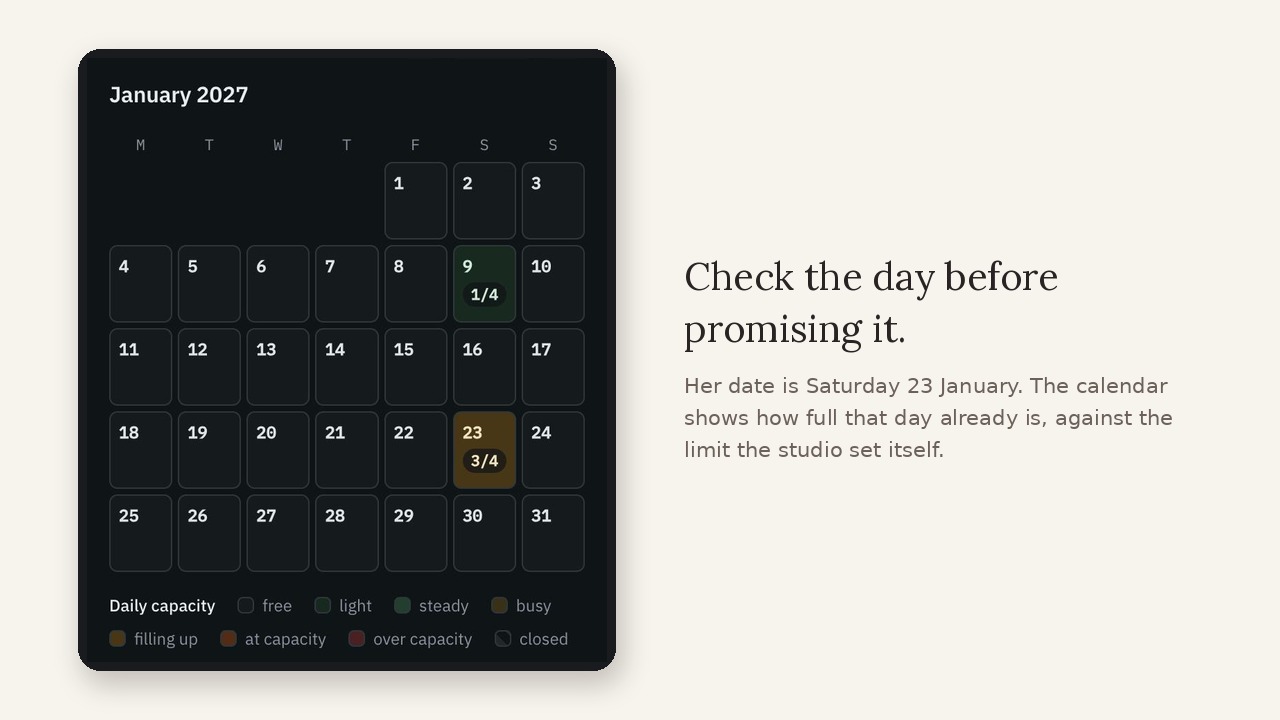
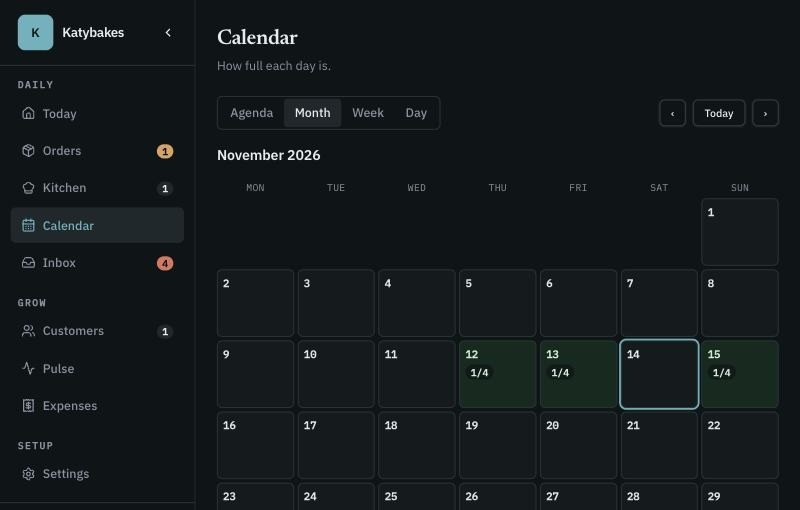
Before promising Saturday the twenty-third of January, the calendar shows how full that day already is.

The quote is built from what she actually asked for, and her price and deposit are clear.

Before sharing the quote, the baker reviews the message and checks the details.

Maya sees the whole agreement on her own link before she accepts.

She accepts. That version is the one that counts, and Tharu says what it has not verified.

The baker records the deposit against Maya's order, keeping the payment and agreement together.

Accepting is not booking. The studio confirms capacity, and writes down why the order is moving.

Booked — with the agreement, recorded deposit and booking note together.

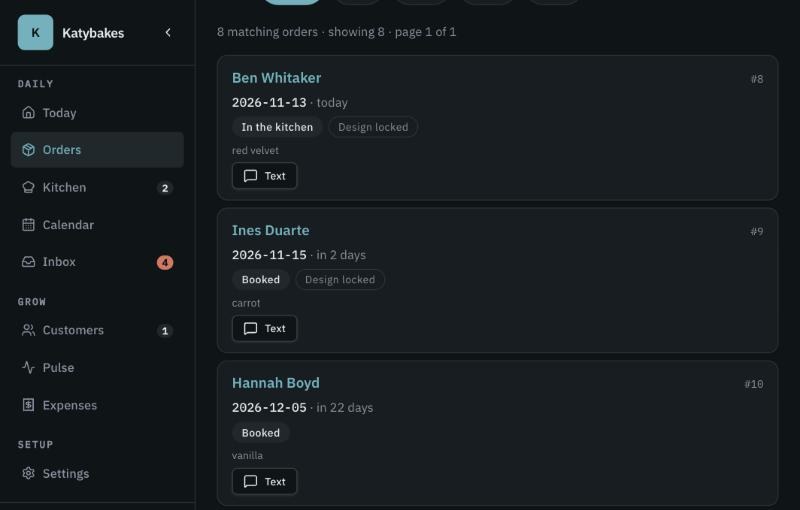
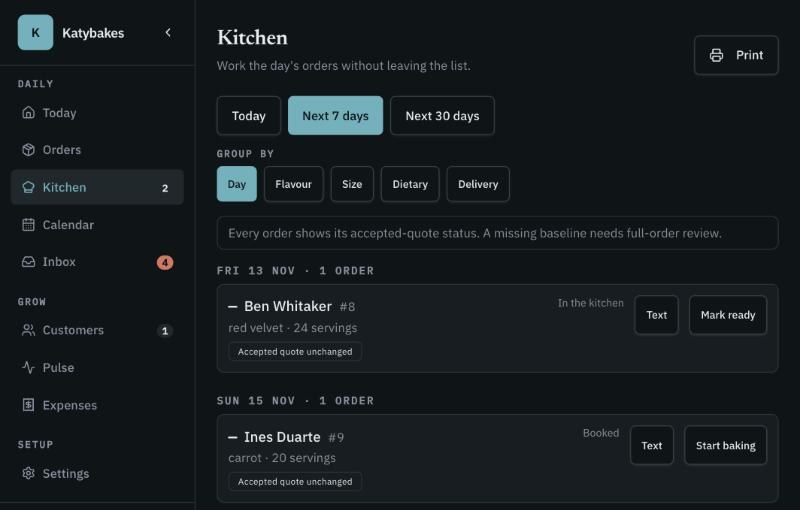
Alongside future bookings, the kitchen keeps today's work in view.

For studio expenses, AI reads the receipt. The baker checks the details.

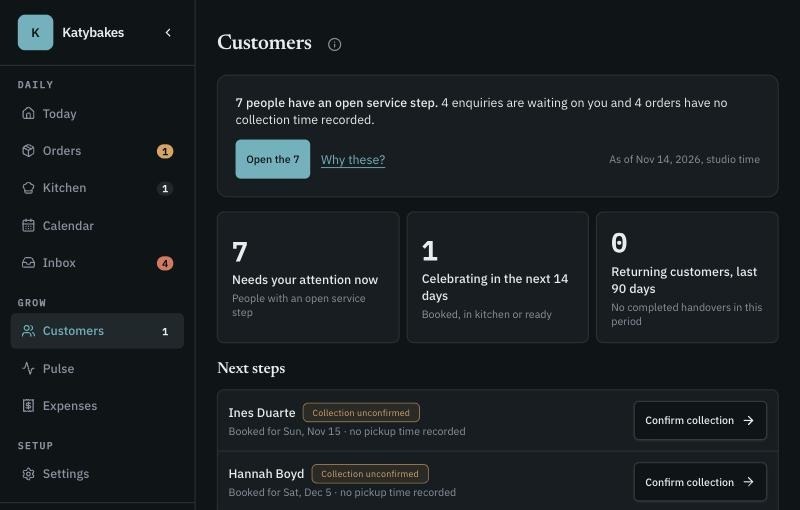
Her last cake, handed over. Her next one, booked.

Their next celebration. Your next chapter. Discover Tharu.

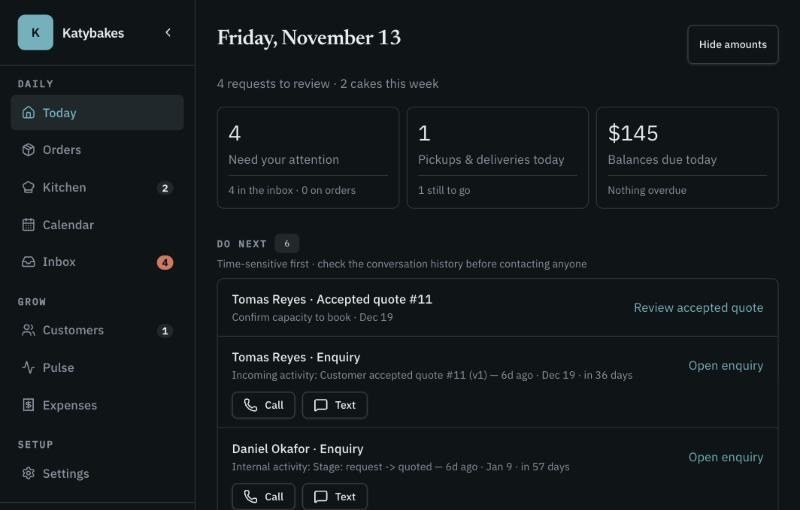
The film then shows Inbox, Orders, Kitchen and Today, and ends on the Tharu signup screen and card. Captions carry the same words.

Fictional studio and customer. Captions are on by default. The film shows what Tharu does today.

How it works

From the first enquiry to the next celebration.

Your customer sees a clear next step. Your team keeps the details together.

  1. Capture the enquiry

    Bring the customer’s date, ideas and requirements into one request.

    Your customer
    Shares the date, occasion and requirements.
    Your studio
    Reviews the request and the capacity available.
  2. Agree and book

    Check capacity, share the quote, record the deposit and confirm the booking.

    Your customer
    Reviews the quote and terms through their own link.
    Your studio
    Keeps the accepted version, records payments and confirms the booking separately.
  3. Prepare and hand over

    Keep the agreed details close as the order moves through the kitchen to collection.

    Your customer
    Has the agreed details for the order.
    Your studio
    Follows the work through Orders, Kitchen and Today to handover.
  4. Welcome them back

    Review previous orders and notes when the customer returns—and reconfirm what matters.

    Your customer
    Comes back for another celebration.
    Your studio
    Reviews previous orders and reconfirms what still applies.

A description of the workflow, not a claim that any step happens on its own. Accepting a quote, recording a payment and confirming a booking stay separate actions.

The screens

Six screens, one record behind them.

Each one answers a question a studio asks every week. Choose a screen to see it.

The Inbox screen in Tharu, showing fictional studio data
Example screen — fictional studio data.

What needs a reply?

Review the enquiry and the recorded activity before following up.

Stays connected: The customer’s own words stay on the request, with what has happened since.

Inside Tharu

The work behind every celebration.

Nine areas, one record. Select any of them for why it matters, what it does and a closer look.

From Tharu Studio

A website for the first impression.
Tharu for what happens next.

Choose Tharu software, a website designed for your business, or both. Each can stand on its own.

Gallery or social linkEnquiry formInbox & orderToday’s handover
Order & customer management

Tharu

Keep enquiries, quotes, recorded payments, daily work and customer history together.

US$29 per studio per month. Website design is quoted separately and is not included in the subscription. During guided setup we’ll confirm whether Tharu fits your location and workflow.

Explore Tharu

Designed for your business

Website design

Show your work, explain what you offer and give customers a clear way to enquire.

Quoted separately, per project. Built with you, one studio at a time, not a self-serve builder.

Explore website design

Better together, when you need both.

With a Tharu-connected enquiry form, customers can move from your website into your studio’s enquiry workflow.

Software on its ownKeep the website you already have. Tharu does not require a new one.
A website on its ownNo Tharu subscription is needed. Where your enquiries should go is agreed as part of the website scope.
Where an enquiry came fromWhen a customer follows a tagged link, the enquiry can carry that source. Direct or untagged visits may carry none.

Visitor traffic and campaign analytics are a separate scope. Website design is priced per project, separately from the US$29 studio subscription.

How Tharu started

It started in a baker’s studio.

A baker of nearly twenty years, a studio of nearly ten, and one question: when a customer asks for “the cake you made last time”, what should the team remember?

Read the story

Our approach to AI

Let AI read the receipt.
Let your team make the call.

In Expenses, AI can suggest receipt details. Try it: the demo below is illustrative, and nothing here is saved anywhere.

  1. 1
    AI suggestsIt reads the receipt and proposes the details.
  2. 2
    You compareCheck each suggestion against the original receipt.
  3. 3
    You correctFix anything that doesn’t match. Missing information stays visible.
  4. 4
    You saveNothing changes a record until you choose to save.
SUNRISE BAKING SUPPLY
04 NOV 2026
Fondant 2kg31.00
Gum paste12.50
Sundries2.70

TOTAL46.20
Suggestions can be wrong. That is why a person saves.

We introduce AI gradually, one use at a time. Before adding another use, we ask three questions: can you trace the suggestion to its source, see what’s missing and correct it before saving?

Money, in plain sight

From first enquiry to a deposit you can find.

Tharu doesn’t move your money. It keeps what was agreed, what came in and what it cost in one record, so the figures you quote are the figures you work from.

Quote what you agreed

Send a quote your customer opens and accepts from a link. Revisions are numbered, and the accepted version stays with the order.

Set the deposit before you bake

Deposit and balance dates follow the accepted amount and your studio’s terms. Show the payment methods you use: Cash, Zelle, Venmo, PayPal or Cash App.

Record what came in

Log each payment against its order, with the method and confirmation. A recorded deposit is your record, not a bank receipt.

See which costs are known

Review recorded costs and estimates on an order. Tharu marks missing or uncertain figures so you can see what still needs checking.

Accepted quote
$416.76
Deposit recorded
$208.38
Supply receipt in Expenses
$46.20

Maya’s order, fictional data. Customers pay through your bakery’s chosen method and your provider handles settlement. Availability of methods varies by country.

Ask for guided setup

Pricing

One studio subscription.

Your bakery handles its customer payments separately. Record what you receive against the order.

  1. Ask for guided setupTell us about your studio.
  2. We set it up with youYour studio details, enquiry form and payment instructions.
  3. Take your first orderFrom enquiry to collection in one record.

Ask for guided setup

Tell us where your studio is based when you ask about guided setup.

Tharu studio
US$29
per studio per month

This subscription pays for Tharu. What your customers pay you is your money: you record it against the order separately, and Tharu never takes a share of it.

Studio questions

Before your first order.

All studio questions

Get access

Your next chapter starts with a clearer studio day.

Keep each enquiry, agreement and customer’s story together—from the first request to the next celebration.

  • See upcoming work and capacity before committing.
  • Keep quotes, recorded payments and customer context together.
  • Moving from another tool? We’ll review your export and discuss what can be brought across.

Already running your bakery another way?

Keep your existing website, or ask us to design one. We’ll review your current workflow and available exports before agreeing what to bring into Tharu.

  1. Discuss your workflow.
  2. Configure the studio and email sending.
  3. Review any proposed import.
  4. Check the customer journey before you start using it.

During guided setup, we’ll confirm whether Tharu fits your location and workflow. A request for guided setup is not a calendar booking.

Please tell us your name.
Please tell us your studio or business name.
Please give an email address we can reply to.

We will use what you send here only to reply to you about Tharu. You can also write to [email protected].